Built on the official WhatsApp Cloud API
WhatsApp automation that answers, sells and follows up.
One inbox for WhatsApp, Instagram and Messenger. An AI agent trained on your own business. Template broadcasts and no-code flows. All under your own WhatsApp Business Account, and if you sell online, Shopify orders and courier tracking plug in too.
No card needed. Every feature unlocked during the trial.
Powering 200+ growing businesses on the official WhatsApp Business Platform
WhatsApp
Instagram
Messenger
Meta
Shopify
- PostEx
- Swift
Where the money goes
Three leaks, every day, in a business that runs on WhatsApp.
- Unanswered chats
- A customer who asks the price at midnight and hears nothing by morning has already bought somewhere else.
- One phone, one person
- The whole team shares a single phone. When that person is busy, off, or gone, every customer waiting on them is gone too.
- Forgotten follow-ups
- A lead says “let me think” and nobody comes back to them. An order goes out unconfirmed and comes back, with the courier charge already spent.
Built for businesses that sell in the chat
Every screen below is the real product, running on a live account’s data. Nothing here is a mock-up or a roadmap promise. See every feature.
Shared team inbox
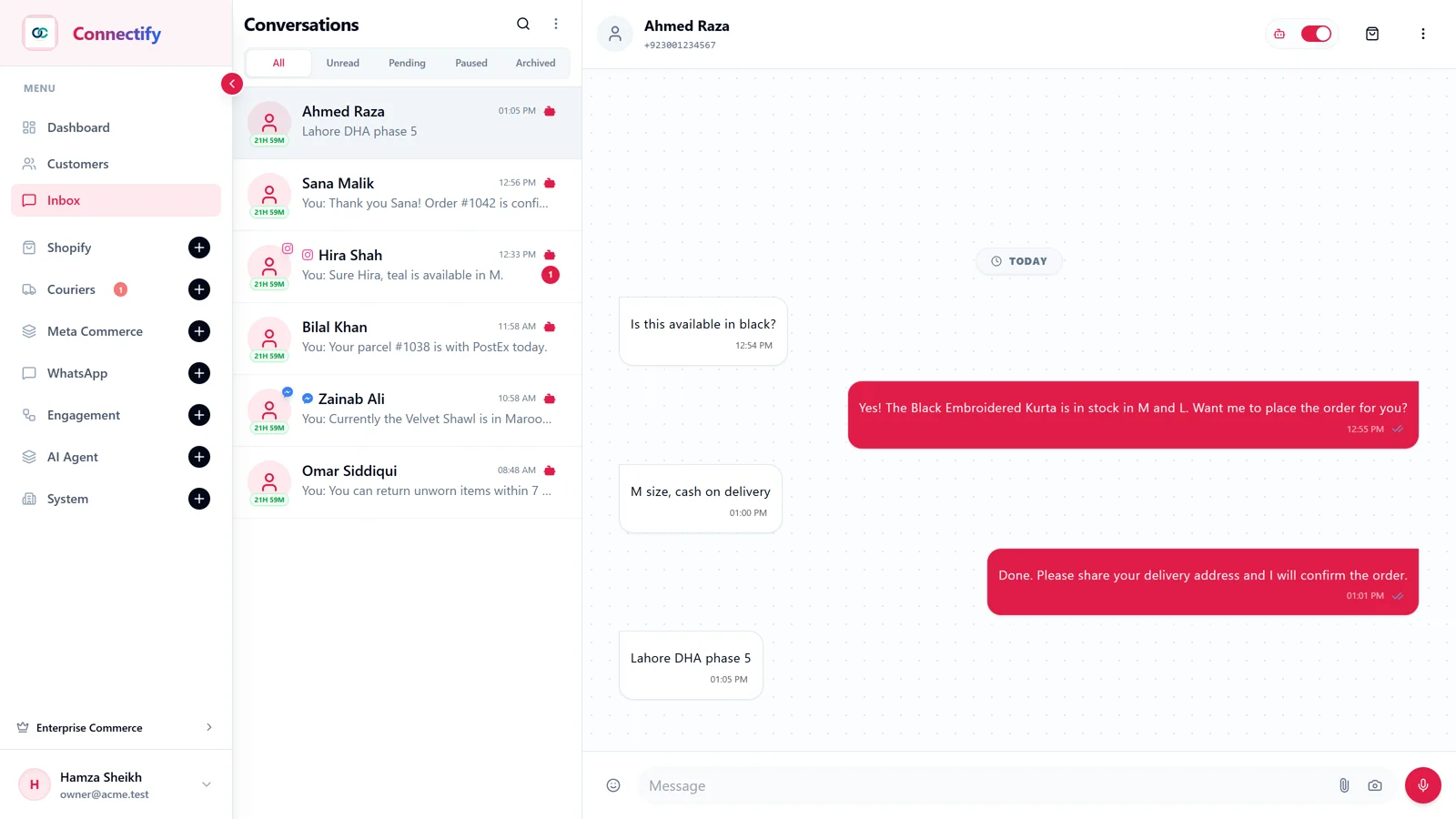
Every channel, one number, your whole team behind it
WhatsApp, Instagram and Messenger land in the same inbox. Assign a chat, leave a note, add a label, and see who answered what. Agents log in with their own account instead of passing a phone around.
- Assignment
- Labels
- Internal notes
- Voice notes
AI agent
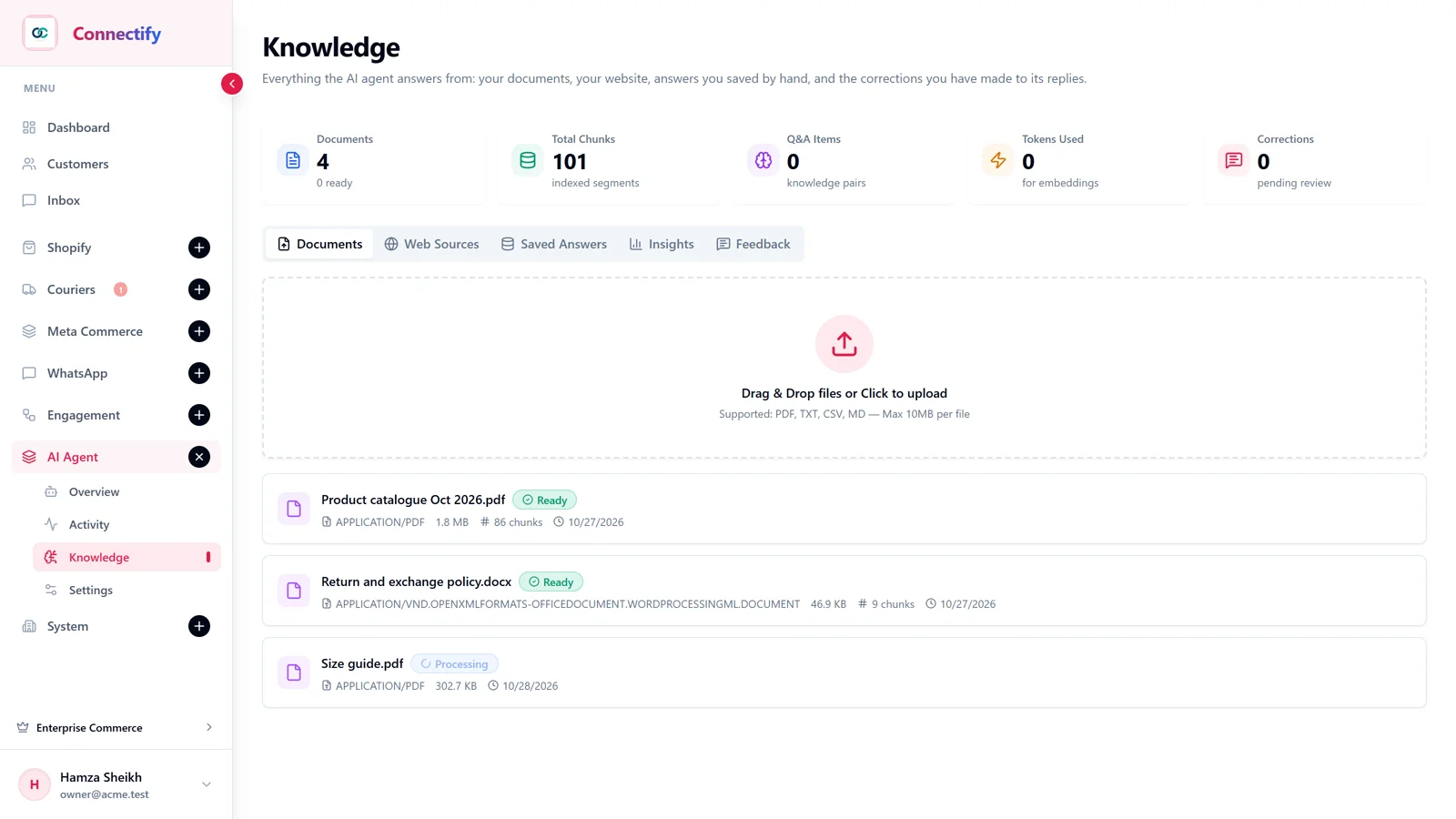
Answers from your catalogue, not from the internet
Load your products, prices and policies. The agent replies in Urdu or English, recommends from stock, takes the order, and hands over to a person the moment it is unsure.
- Knowledge base
- Photo search
- Human handoff
- Working hours
For online stores: orders
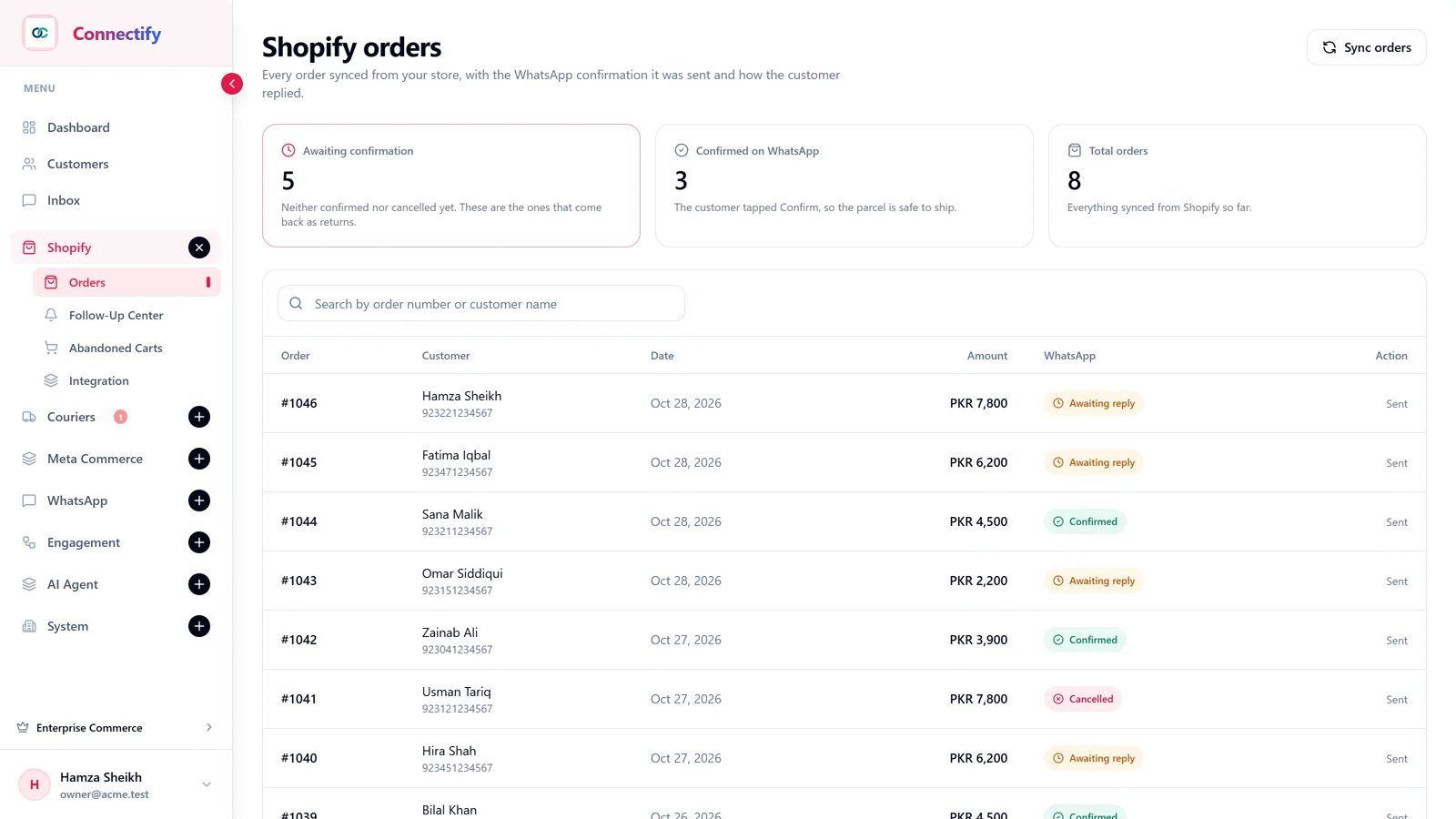
Cash-on-delivery orders that confirm themselves
Every new Shopify order gets a WhatsApp message with Confirm and Cancel. The status updates from the customer’s tap, and whatever stays pending is chased from the Follow-Up Center.
- Shopify sync
- COD confirmation
- Abandoned carts
- Shipping updates
For online stores: couriers
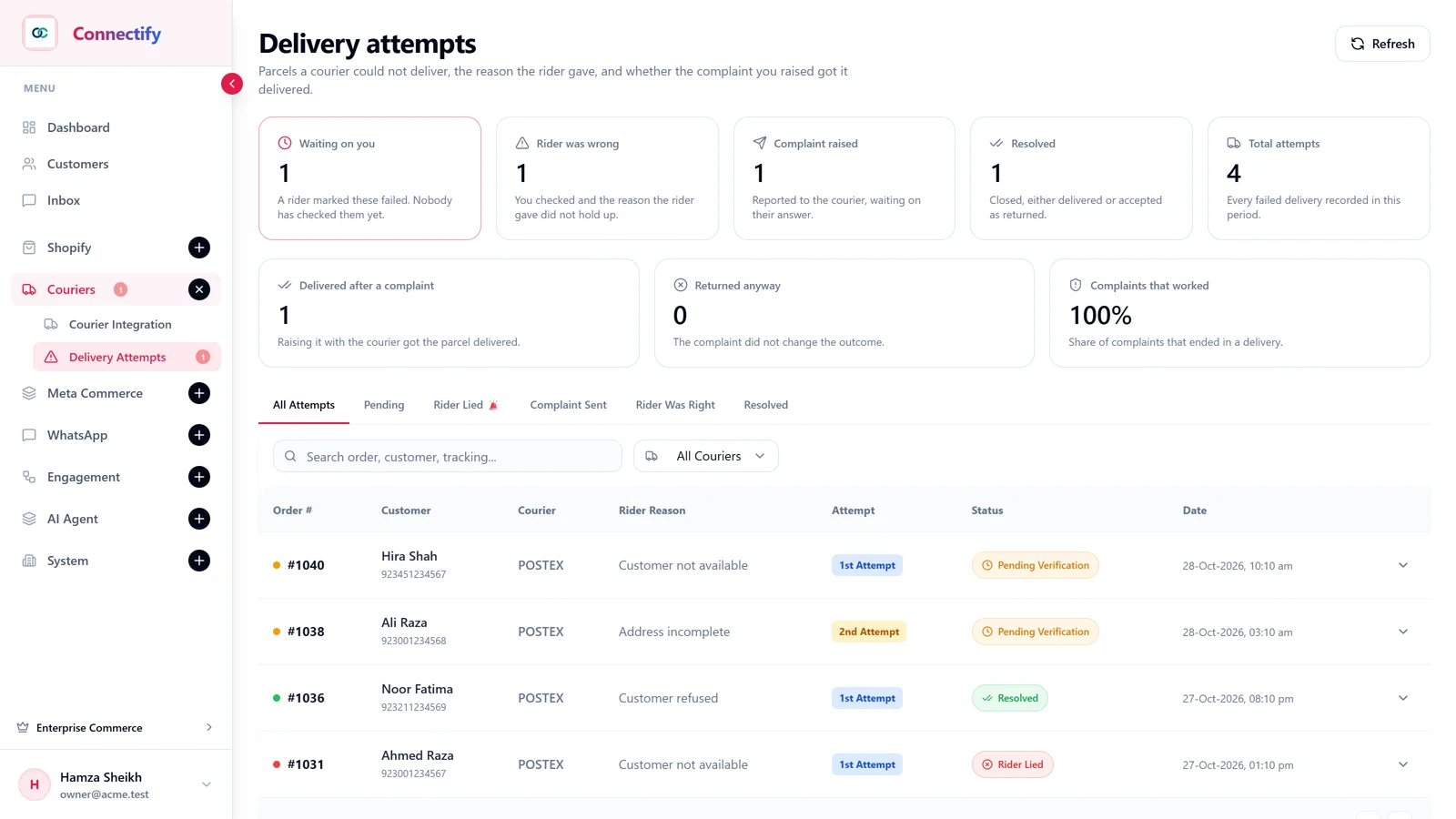
Fewer parcels come back to you
PostEx and Swift shipments send live tracking to the customer. When a rider marks an attempt failed, the customer is asked on WhatsApp before the parcel is returned.
- PostEx
- Swift
- Live tracking
- Failed-delivery check
Campaigns
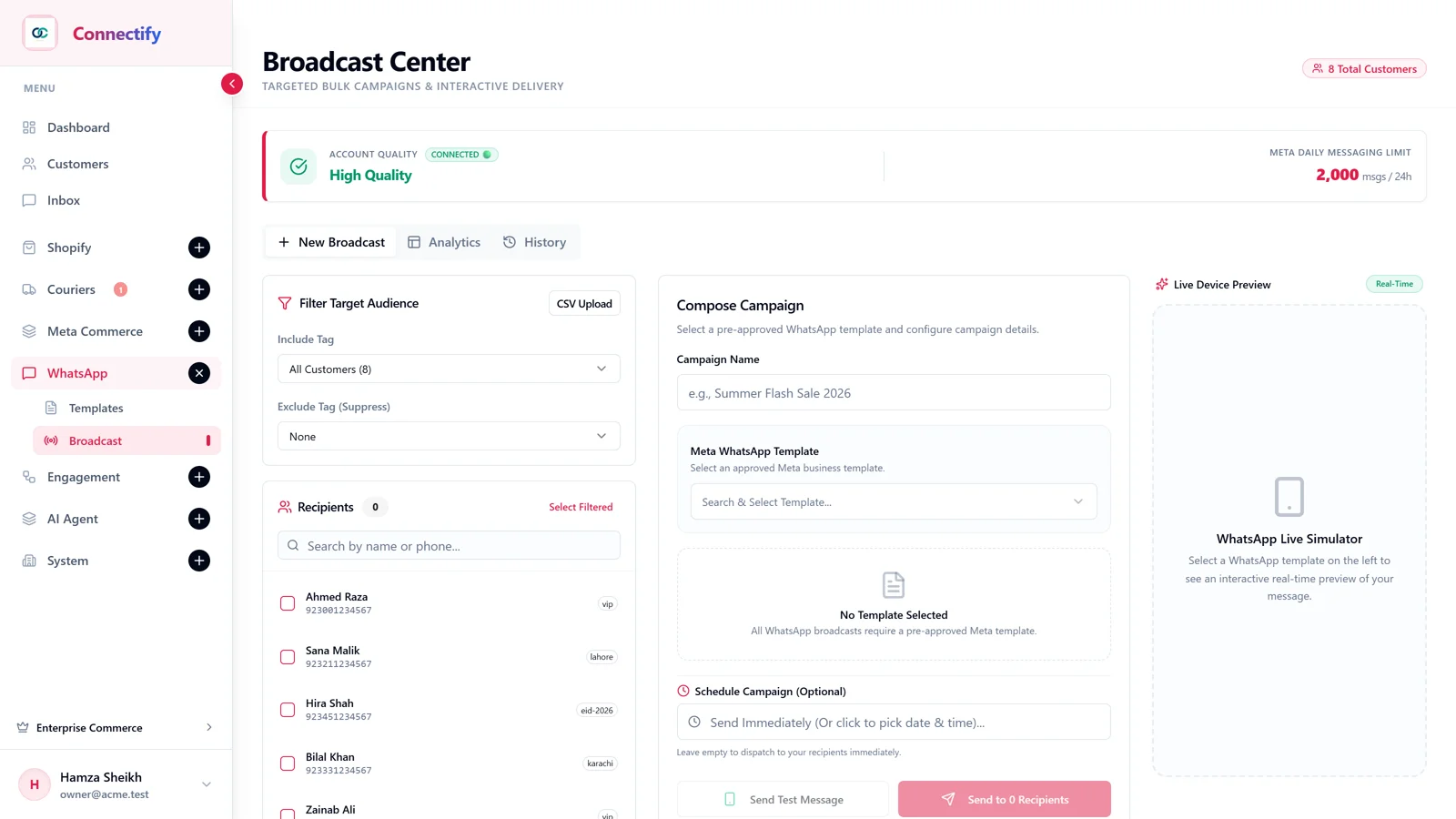
Broadcast to a segment, then let the flow do the follow-up
Send an approved template to the customers you choose and watch delivery, read and reply counts per campaign. Build the automations yourself by dragging nodes: menus, keyword replies, routing, order collection. No code.
- Approved templates
- Segments
- Flow builder
- Keyword triggers
Getting started
Live in an afternoon, not a quarter.
Connect your number
Use the official WhatsApp Business API under your own Business Manager. No API access yet? Scan a QR code with an existing number today and move over later without losing history.
Connect the tools you already use
Shopify orders, customers and products sync in, and PostEx or Swift shipments send tracking on their own. Not an online store? Skip this step; the inbox, agent, broadcasts and flows work without it.
Teach the agent, then let it run
Upload your products or services, prices and policies. The agent handles the repeat questions; your team only touches what needs a person.
Why businesses trust it with their main number
Running on the official WhatsApp Business Platform, with the limits of every plan written on the pricing page.
Official Meta Cloud API
Your number runs under your own WhatsApp Business Account. No WhatsApp Web, no phone left switched on, no ban risk from unofficial tools.
Urdu and English
The agent replies in the language the customer wrote in, in the tone you set for your brand.
Store integrations built in
Selling online? Shopify orders, abandoned checkouts, PostEx and Swift shipments are first-class, not add-ons.
Your data stays yours
Tokens stored encrypted, data hosted in the European Union, and it is never used to train public models.
The price, on the page.
Agents, contacts and messages are written on every plan. The trial unlocks all of it, with no card.
Questions
Before you ask
- Do I need the official WhatsApp Business API?
- Every plan runs on it and it is the right long-term setup. If you do not have it yet, link an existing WhatsApp number by QR code and start today. You can move to the API later and keep your chats.
- Do I need Shopify or an online store?
- No. The inbox, AI agent, broadcasts, templates and flows work for any business on WhatsApp. Shopify and courier connections are optional, for stores that want order confirmation and delivery updates.
- How does the AI learn about my products?
- Upload your product or service list, prices and policies, or connect Shopify so the catalogue syncs by itself. The agent answers from that, and says it does not know rather than inventing an answer.
- What happens when the AI is not sure?
- It hands the conversation to your team with a summary of what the customer wanted. You can also take over any chat manually at any moment, and the agent stops.
- Which stores and couriers can I connect?
- Shopify, with order confirmation, abandoned cart recovery and shipping updates. Couriers: PostEx and Swift, with tracking updates and failed-delivery checks.
- Can I use it for reminders and notifications?
- Yes. Build or import a utility template, get it approved, and send appointment reminders, payment updates or order status from a broadcast, a flow or your own trigger.
- Do my customers need to opt in?
- For marketing messages, yes. Meta requires consent before a marketing template is sent, so broadcasts go only to contacts you choose, and Meta charges for every message delivered.
Price, trial and payment questions are on the pricing page; how-to answers are in the help center. Something else? Talk to us on WhatsApp or email.
Start answering on WhatsApp automatically, today.
Every feature unlocked during the trial. No card needed to start.